Docs
MCP
Foam has an MCP server. Connect it to your coding agent and the agent can query your production logs, traces and metrics while it works on your code. Access is read-only and limited to your account. Setup takes about two minutes.
Get your token
- Open foam.ai/account, find the Your MCP token box, and click Copy. This personal token identifies you and reads telemetry available to your Foam account. Do not share it.
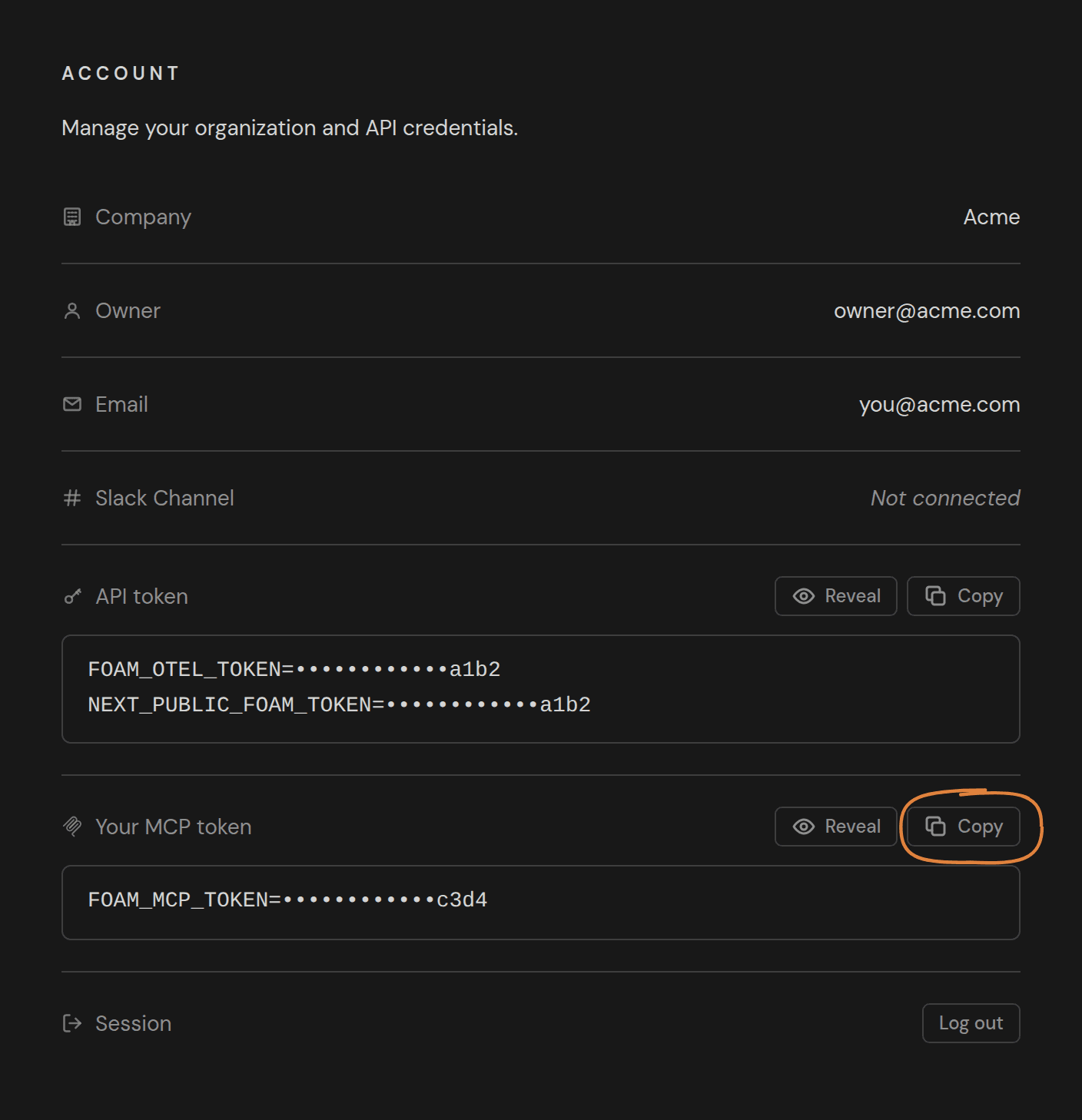
- Put the token in your shell so the setup commands can use it. Copy gives you
FOAM_MCP_TOKEN=..., so addexportin front of it on a new line in~/.zshrcor~/.bashrc, then open a new terminal:export FOAM_MCP_TOKEN=paste-your-token-here
Set up your agent
Pick your agent for step-by-step instructions:
Any other client that supports MCP over Streamable HTTP with a custom header works too. Use these values:
- URL:
https://api.foam.ai/mcp - Transport: Streamable HTTP
- Header:
Authorization: Bearer YOUR_MCP_TOKEN
Claude Desktop and claude.ai connectors cannot send a custom header yet, so they cannot connect to Foam today.
What the agent gets
list_tables: your services, the repositories behind them, and the seven telemetry tables with their columns.run_query: one read-only SQL query over those tables, with a row limit and a time limit the agent can set.- Every query runs read-only and sees only your account's services. Results are capped at 1,000 rows and 5 minutes. All times are UTC.
Troubleshooting
- 401 or “authentication failed”. Use your personal MCP token, not the API token. Copy it again from foam.ai/account and make sure the header reads exactly
Authorization: Bearer <token>, with one space and no quotes around the token. list_tablesreturns no services. Nothing has sent telemetry to your account yet. Install Foam in a service first.- 429. The server allows 120 requests per minute per address. Wait a minute and retry.